
Generate QA artifacts in seconds, not hours.
Test Suite Studio turns your requirements into structured test strategies, test plans, test scenarios and test cases. All AI-authored, exportable and ready for your team.
- 5
- QA artifact types
- AI
- powered authoring
- JSON/PDF
- export formats
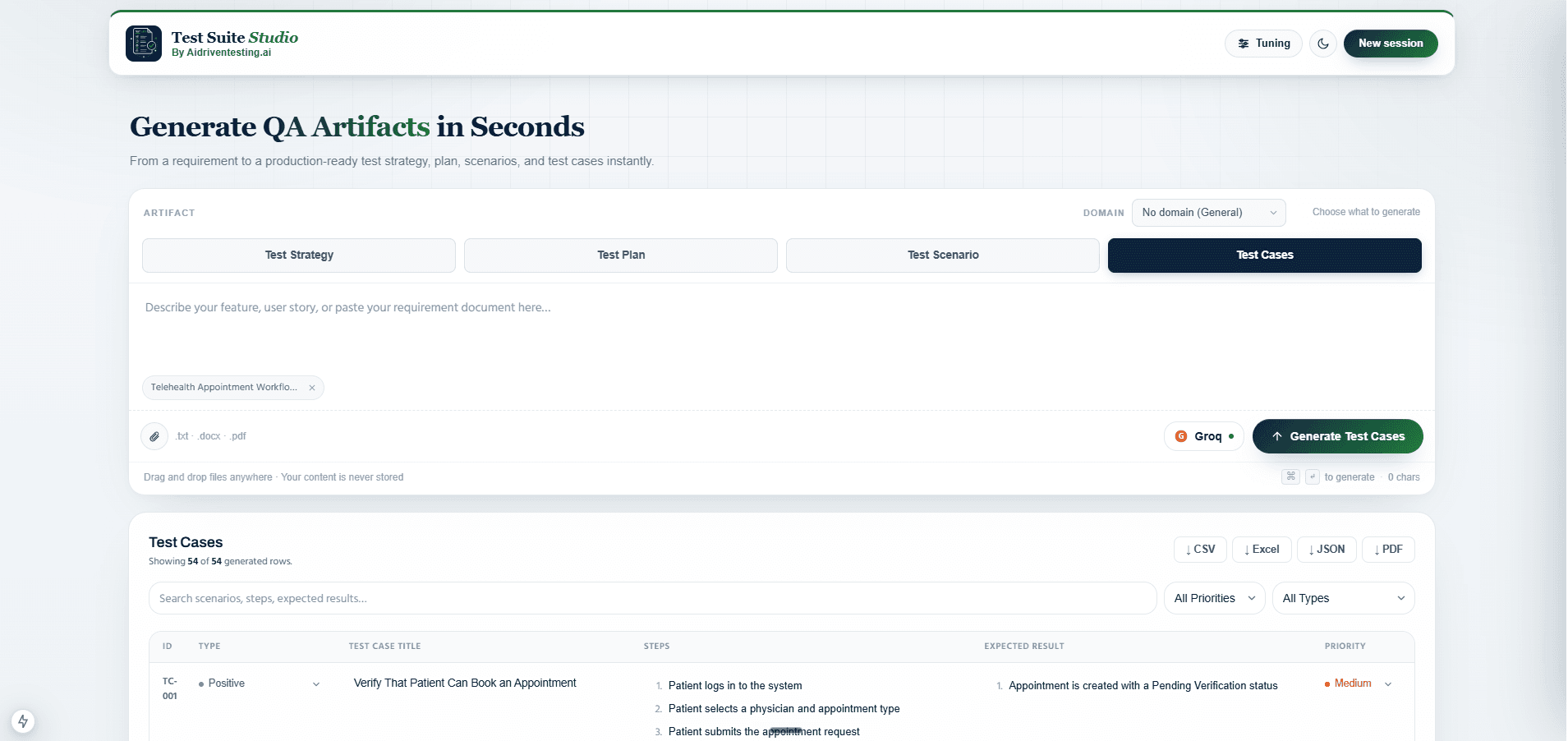
A complete testing strategy from a single requirement
Describe your feature or paste your user story and Test Suite Studio generates a structured test strategy covering scope, testing approach, risk areas and automation guidance.
- Scope, objectives and testing approach in one document
- Risk identification with severity and mitigation notes
- Export as JSON, PDF or Word for team sign-off
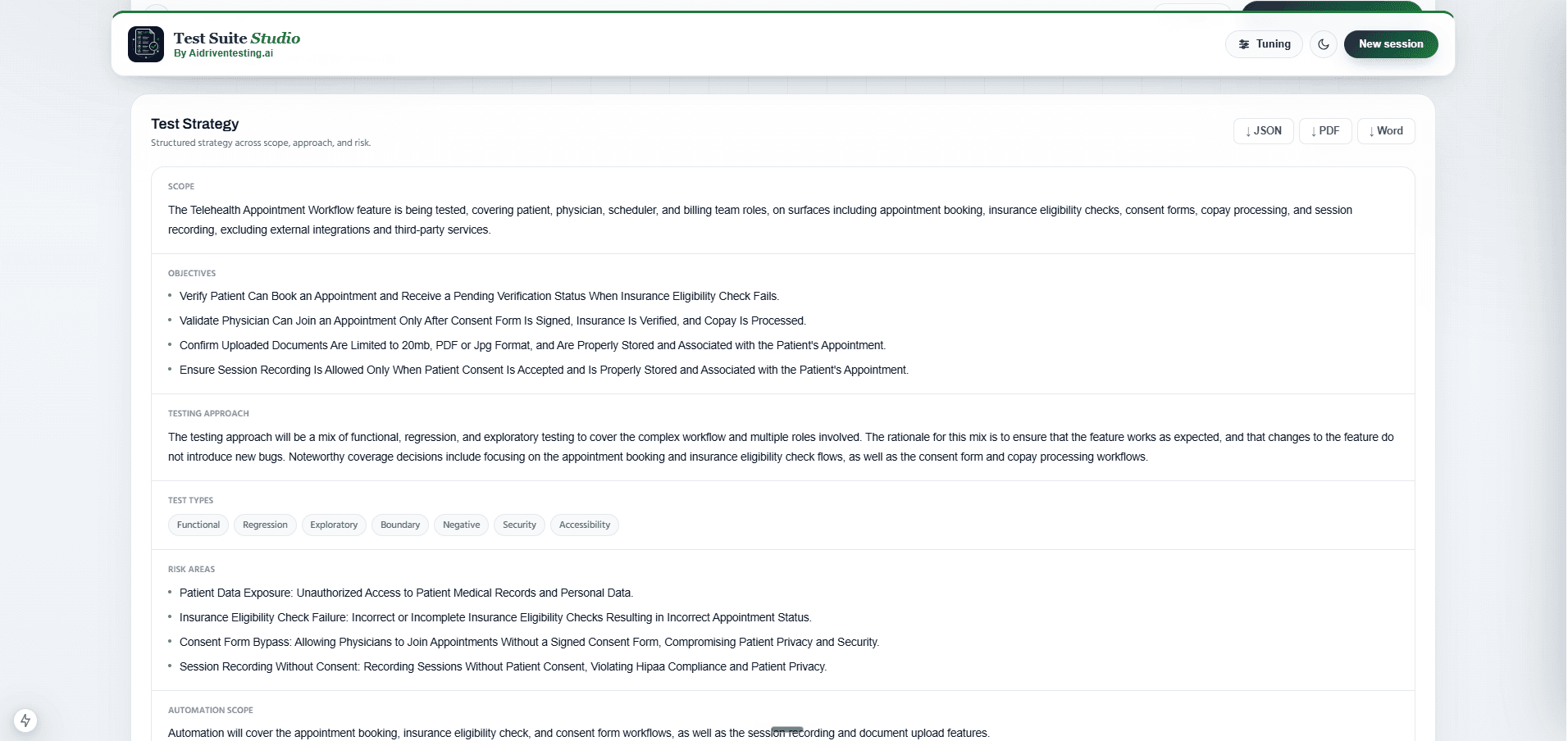
A detailed test plan with phases and timelines
Test Suite Studio authors a structured test plan including scope, features to test, timeline phases and resource allocation. Ready to attach to your sprint hand-off.
- Features to test with acceptance criteria
- Timeline phases: Design, Smoke, Functional, Exploratory
- Automation notes and entry/exit criteria included
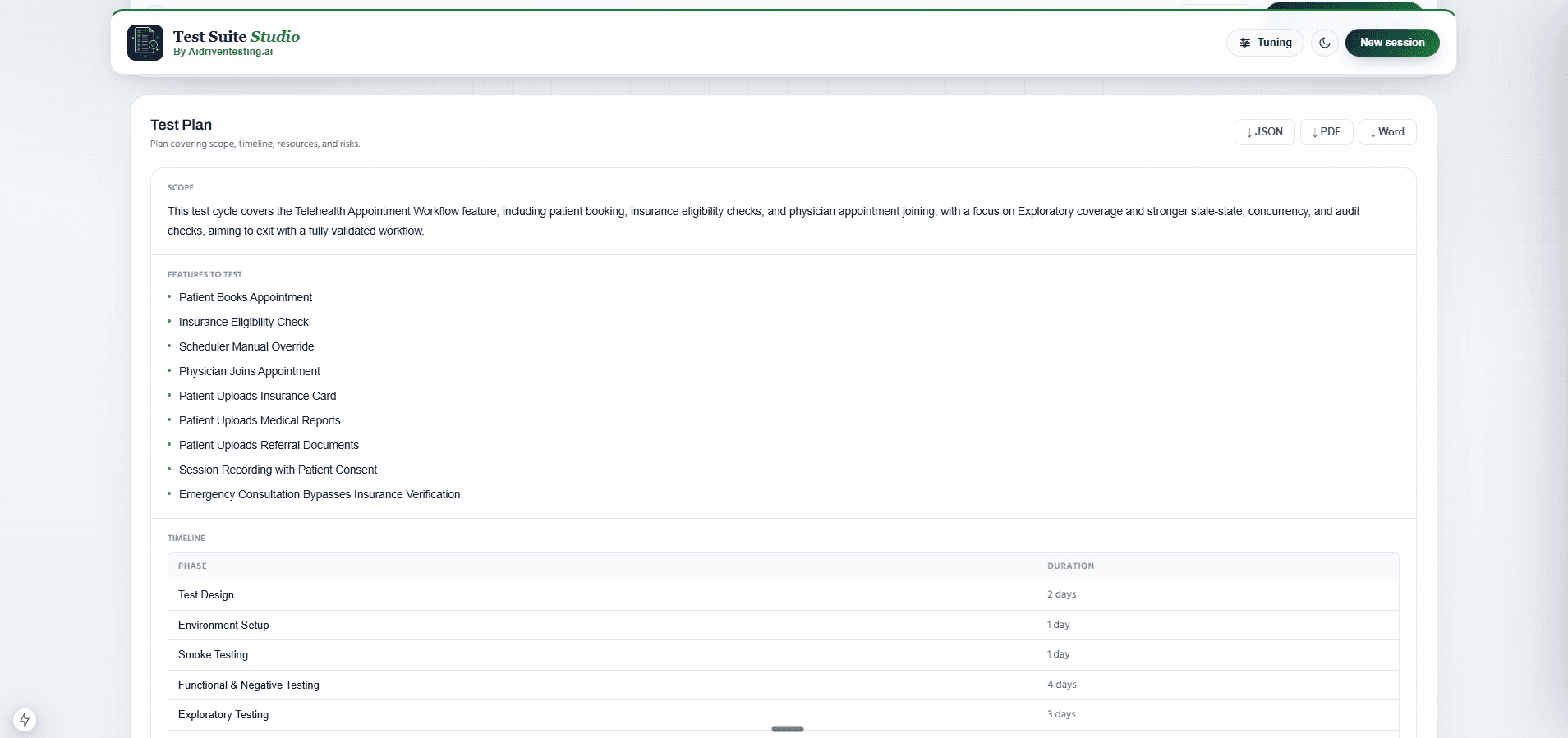
Prioritised scenarios across all user workflows
Get a ranked list of test scenarios covering happy paths, edge cases and negative flows. Each scenario is tagged with priority and workflow module so nothing falls through the cracks.
- High, Medium and Low priority tagging on every scenario
- Covers functional, integration and boundary flows
- Linked to workflow modules for traceability
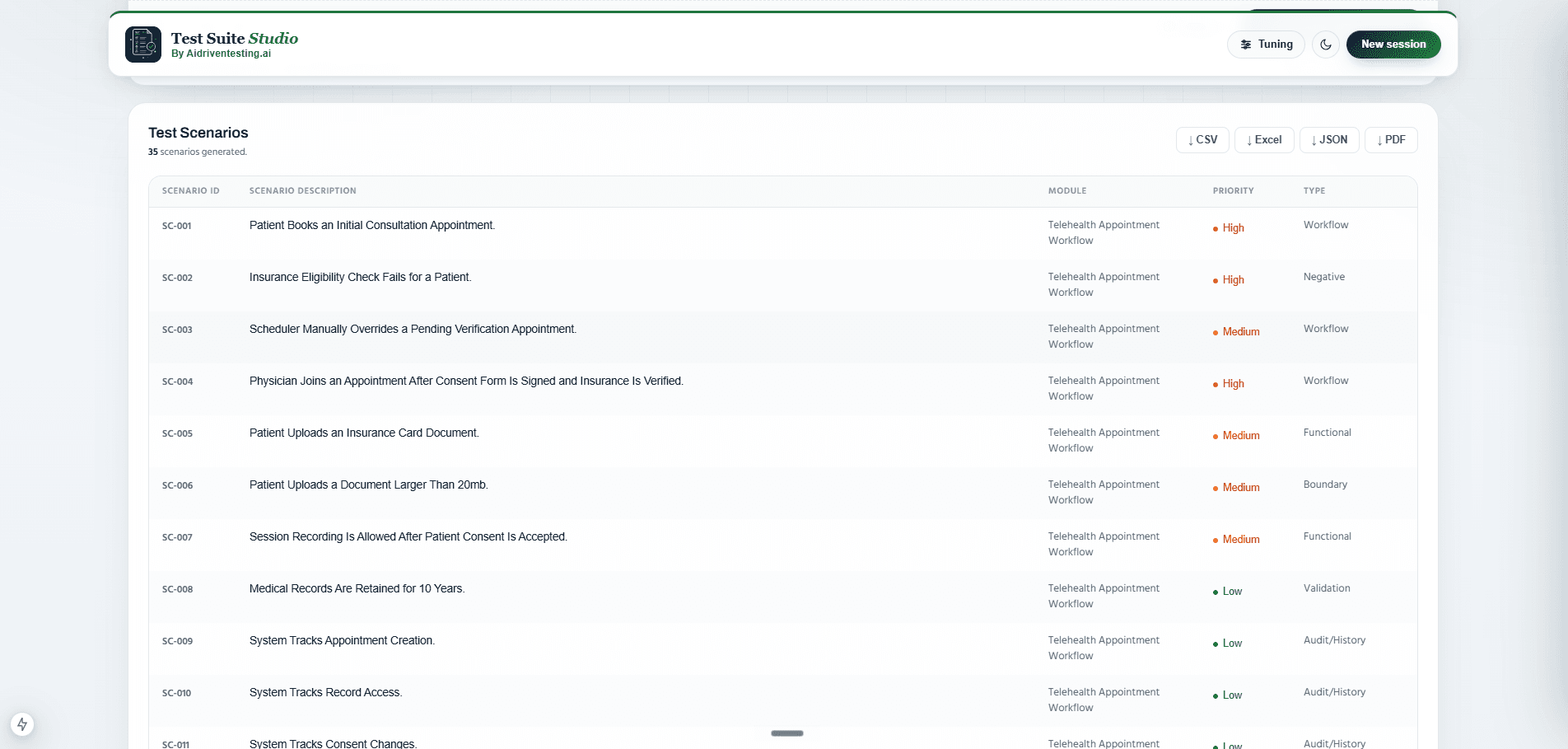
Step-by-step test cases with expected results
From your scenarios, Test Suite Studio generates detailed test cases with numbered steps, preconditions, expected results and pass or fail status. Each case is exportable individually or as a full suite.
- Positive and negative test cases generated together
- Step-by-step actions with expected outcomes per step
- Filter by status, priority or workflow module
- Export as CSV, JSON or PDF for your test management tool
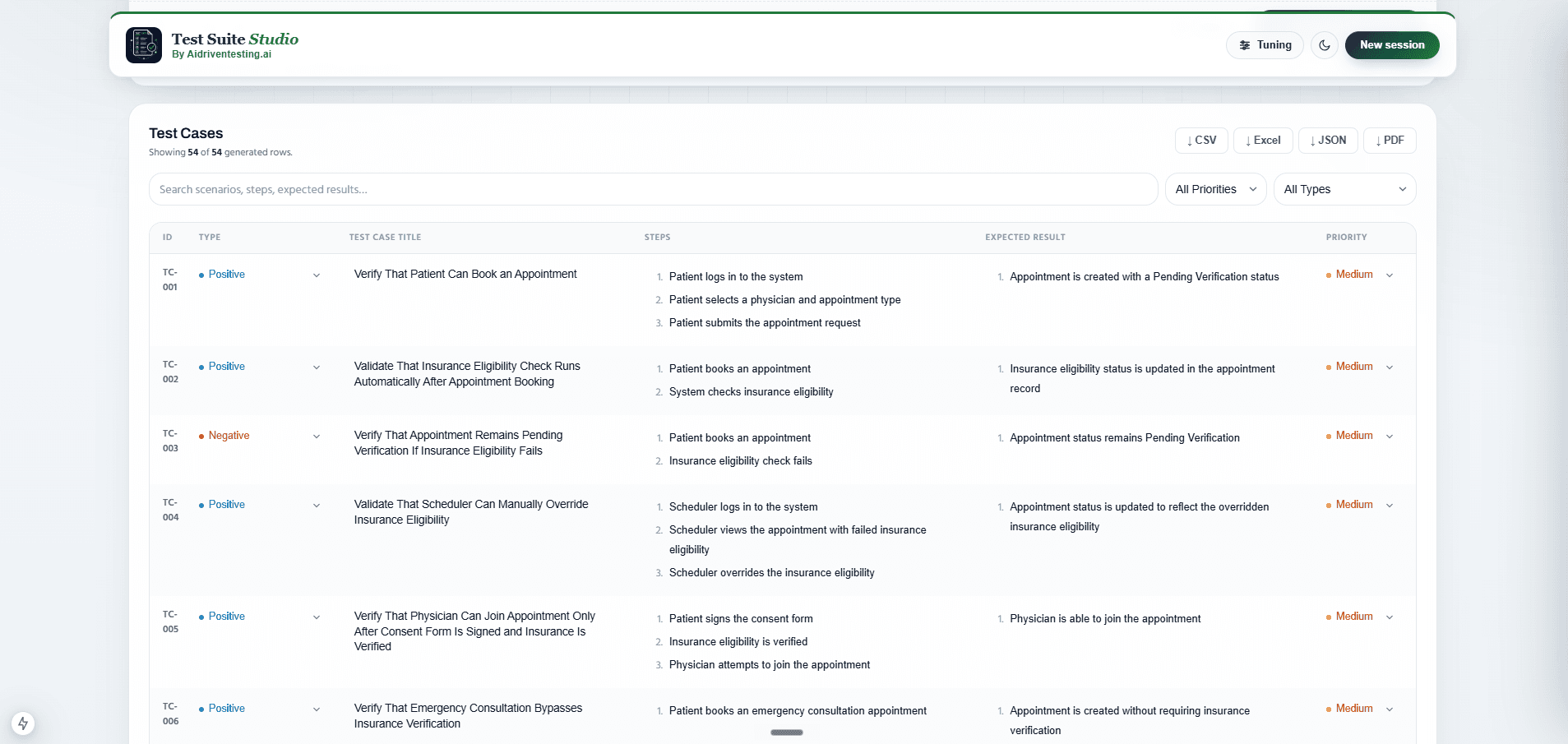
A full QA documentation workflow, AI-authored
Test Suite Studio replaces hours of manual QA writing with structured, review-ready output generated directly from your requirements.
Instant artifact generation
Paste your requirements and get a complete strategy, plan, scenarios and test cases in seconds.
5 structured artifact types
Test Strategy, Test Plan, Test Scenarios, Test Cases and AI Tuning controls in one session.
JSON, PDF and Word export
Download any artifact in the format that fits your workflow, from JIRA import to sprint docs.
AI tuning panel
Adjust profile preset, coverage depth and output style. Changes apply on next generation instantly.
Priority and traceability
Every scenario and test case is tagged with priority and linked to a workflow module.
Works in the browser
No install, no setup. Open the studio, paste your requirements and start generating.
Everything Test Suite Studio authors for you
From a single requirement input to a full QA documentation suite.
- Scope and objectives
- Testing approach
- Risk identification
- Automation guidance
- Features to test
- Timeline phases
- Resource allocation
- Entry and exit criteria
- Happy path scenarios
- Edge case scenarios
- Negative test flows
- Priority tagging
- Step-by-step actions
- Expected results
- Preconditions
- Pass and fail status
- Profile presets
- Coverage depth control
- Output style selector
- Exploratory and boundary toggles
- JSON
- Word (.docx)
- CSV
Quick answers
Common questions from QA teams evaluating Test Suite Studio.
Turn your requirements into QA artifacts in seconds.
Test Suite Studio is currently in private beta. Request access and our team will reach out to get you set up with test strategies, plans, scenarios and cases from your requirements.
- Test Strategy with scope, risks and testing approach
- Test Plan with phases, timeline and resources
- Test Scenarios covering all priority levels
- Step-by-step Test Cases with expected results
- AI Tuning panel to control generation behaviour