
From pipeline logs to polished reports.
ReportingGenius reads your CI pipeline logs, surfaces failure root causes, and generates stakeholder-ready test reports, all from a Chrome extension, without leaving your browser.
The final chapter of every testing cycle.
A test run without a clear report is half the work. ReportingGenius covers the two closing phases of any structured testing process, turning raw failure data into root cause insight, and raw insight into reports your team can act on.
ReportingGenius reads your pipeline logs and produces an AI-structured failure reason table, grouped by module, with defect IDs and next steps.
Choose from six report formats. Generate, copy or download in seconds. Format rough QA notes into a polished DSR with or without AI.
Logs in. Insights out.
Three steps from pipeline logs to a report you can send right now.
- Defect Analysis1
Feed it your logs
Scan an open GitLab tab in one click, upload a .txt or .csv file, or paste your CI output directly. All three paths land in the same analysis engine.
- Defect Analysis2
Get the full breakdown
A pipeline summary table shows pass, fail, pending and skip counts per module. Below it, a failure analysis section gives you root cause reasons and suggested next steps for every failed test.
- Reporting and Insights3
Generate and share
Pick a report format, hit Generate, preview the output inline, then copy to clipboard or download as HTML or .txt. Ready to paste into Slack, email or your wiki in seconds.
Three ways to bring your logs in.
Works with GitLab pipelines today. More CI platforms coming soon.
GitLab Logs
Open your GitLab pipeline job in any tab. Click Scan GitLab Tabs, the extension finds it automatically and pulls the full log.
- Auto-detects open GitLab job tabs
- Scans all jobs in the pipeline
- One click from tab list to analysis
Upload Logs
Drop a .txt runner log or a Tesults .csv export directly into the upload zone. Works with any pipeline that can export a log file.
- Drag-and-drop or browse to upload
- Supports Cypress .txt and Tesults .csv
- Useful for offline or archived runs
Paste Logs
Copy the raw output from any CI runner, GitHub Actions, Jenkins, Bitbucket Pipelines, and paste it into the text area. The engine parses it the same way.
- Paste any plain-text CI output
- Works with any pipeline platform
- Full log recommended for best results
Every screen, built for clarity.
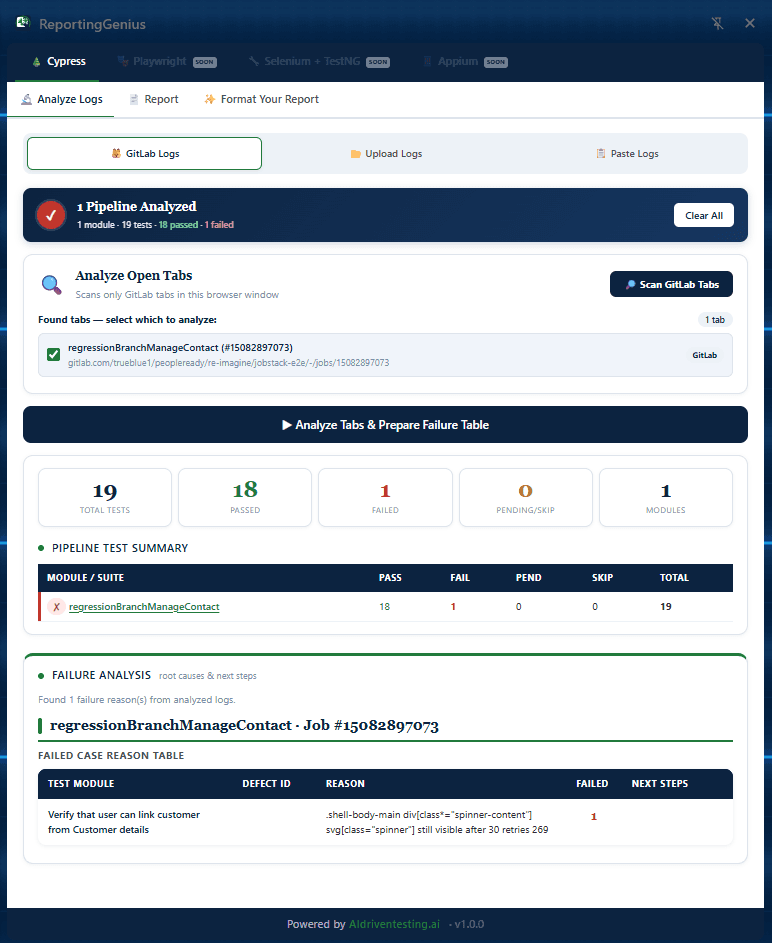
Scan your open GitLab tabs
The extension detects any open GitLab job tabs and lists them. Select the pipeline you want, click Analyze Tabs and Prepare Failure Table, and within seconds you have a full pass/fail breakdown plus a root cause table.
- Auto-detects gitlab.com job URLs in open tabs
- Pipeline Test Summary: pass, fail, pending, skip counts
- Failure Analysis: module, defect ID, reason and next steps
- Clear All to start a fresh run at any point
Rough notes in. Polished DSR out.
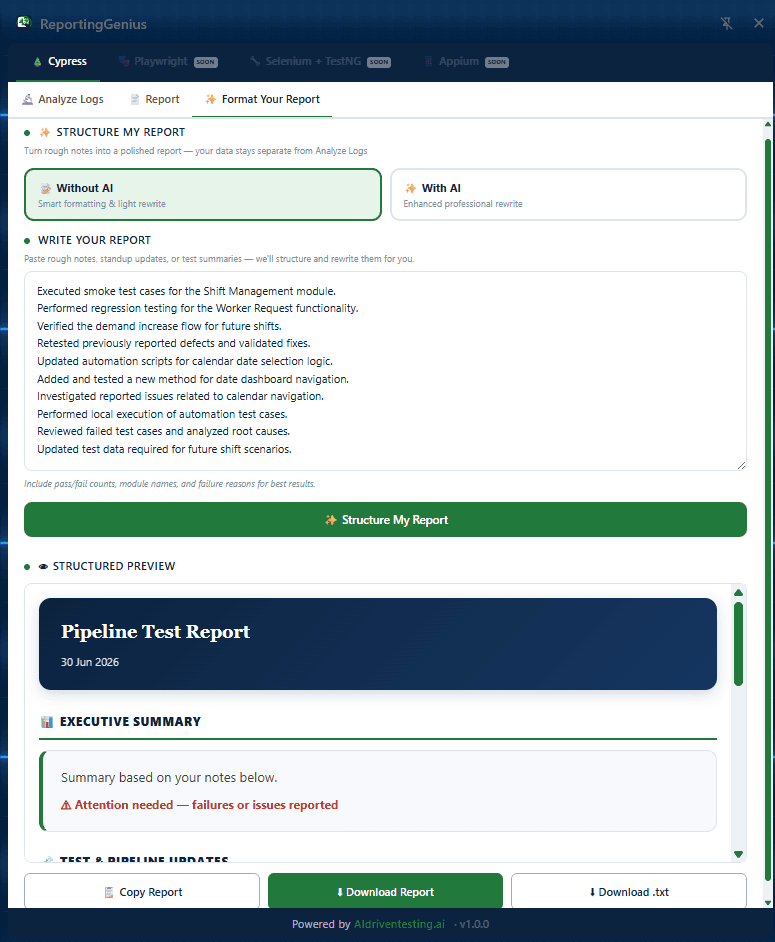
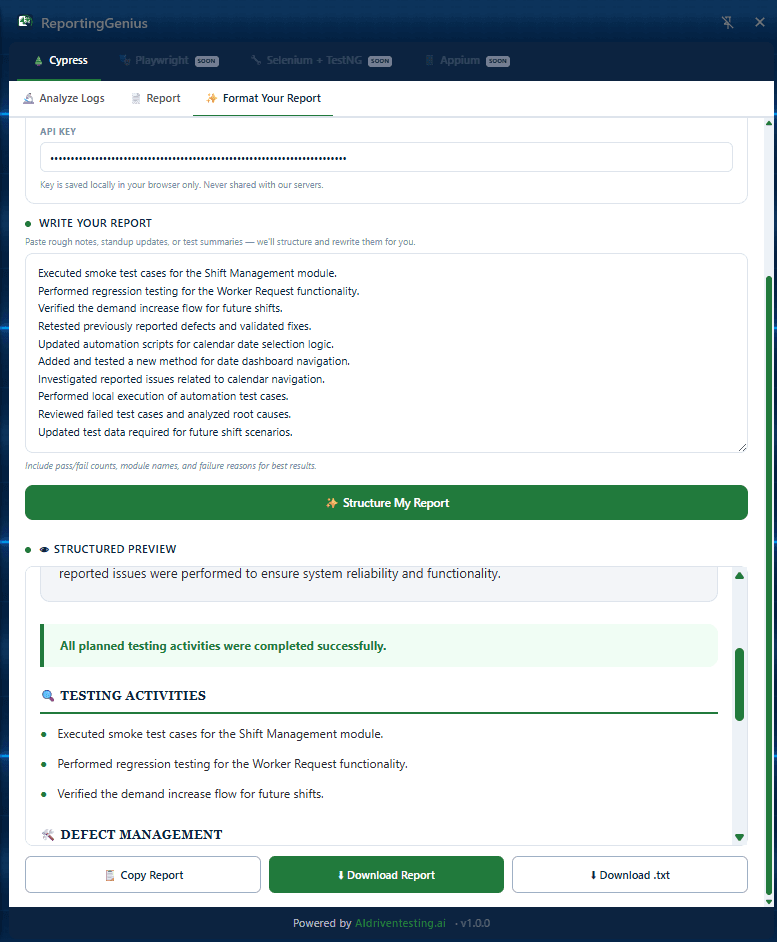
Paste your bullet-point notes into ReportingGenius and it structures them into a professional report, with executive summary, testing activities, and defect management sections, ready to send to your manager or team.
Smart formatting and a light rewrite. No API key needed. Structures your notes into clear headings and cleans up the language automatically.
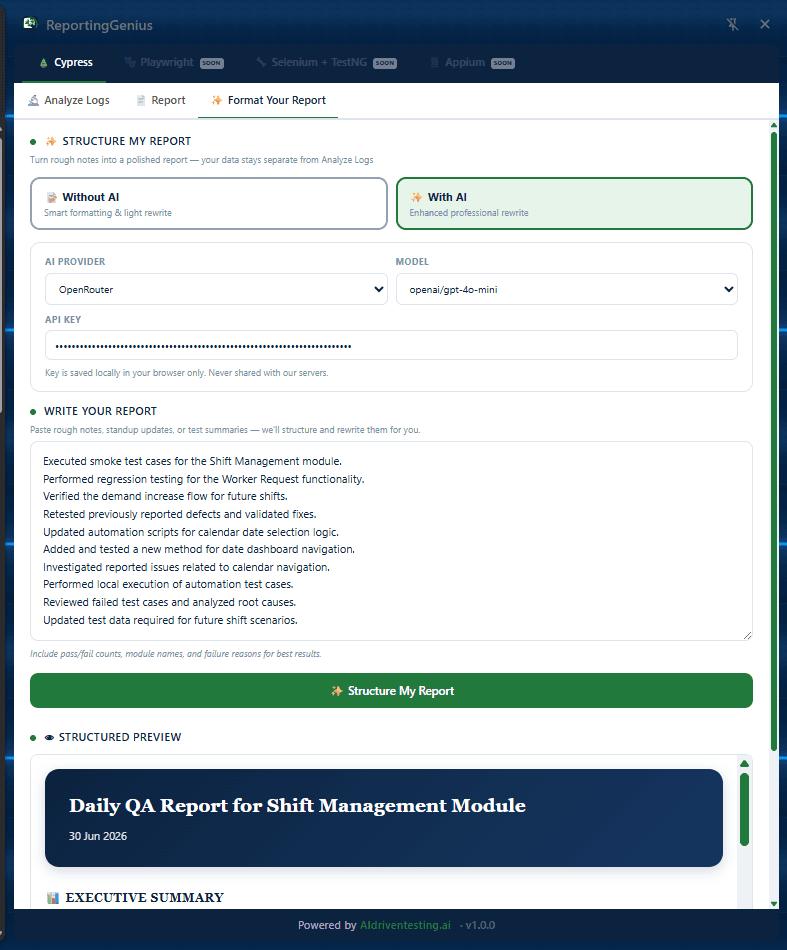
Enhanced professional rewrite using OpenRouter, OpenAI or any compatible provider. Produces a fully polished DSR with proper business language, context and structure.
Pick the layout that fits your audience.
Every format is generated from the same pipeline data, the choice is purely about who is reading it.
Full tables
Pipeline summary with per-pipeline run table images and failure reason tables. The default for daily standups and team updates.
Hotspots and actions
Condensed view focused on what failed and what to do next. Ideal for async messages and quick Slack updates.
Donut and bar charts
Visual pass/fail breakdown for leadership reviews and sprint retrospectives where numbers need to land at a glance.
Hero, trend and cards
A full-featured layout with trend indicators and metric cards. Suited for wiki pages and test health dashboards.
Findings and progress
Narrative-style report combining a written summary with progress bars. Good for manager reports and sprint reviews.
Sidebar and stacked chart
Side-by-side metric panel with stacked bar visualization. Compact enough for email and detailed enough for stakeholders.
Rerun failed specs without leaving the extension.
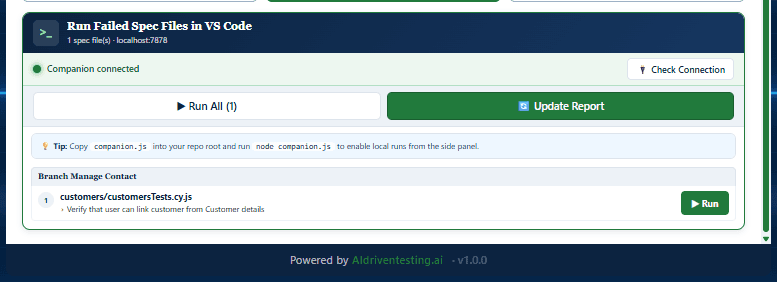
After analysis, the Report tab surfaces the failed spec files from your pipeline. Add the companion script to your repo root and connect it to the extension. Hit Run, and the failing tests execute directly in your local VS Code terminal.
No copying file paths, no switching windows. The companion bridge closes the loop between a CI failure and a local rerun in under 10 seconds.
- Drop companion.js into your repo root and run once
- Extension detects local connection automatically
- Run individual failed specs or all at once
- Update Report button refreshes results after the rerun
Works with your testing framework.
Cypress is fully supported today. More frameworks are in active development.
Frequently asked questions
Close your test cycle the right way.
ReportingGenius is available now as a free beta on the Chrome Web Store. Install it, try it on your own pipeline logs, and let us know what you find.