
A production ready framework, in one click, on your machine.
Scaffold a full Playwright, Cypress or Selenium project — reporters, QA tooling, a real demo run and a PDF sign-off report — in under 60 seconds.
- <60s
- Setup to first run
- 4
- Frameworks supported
- 100%
- Demo run success
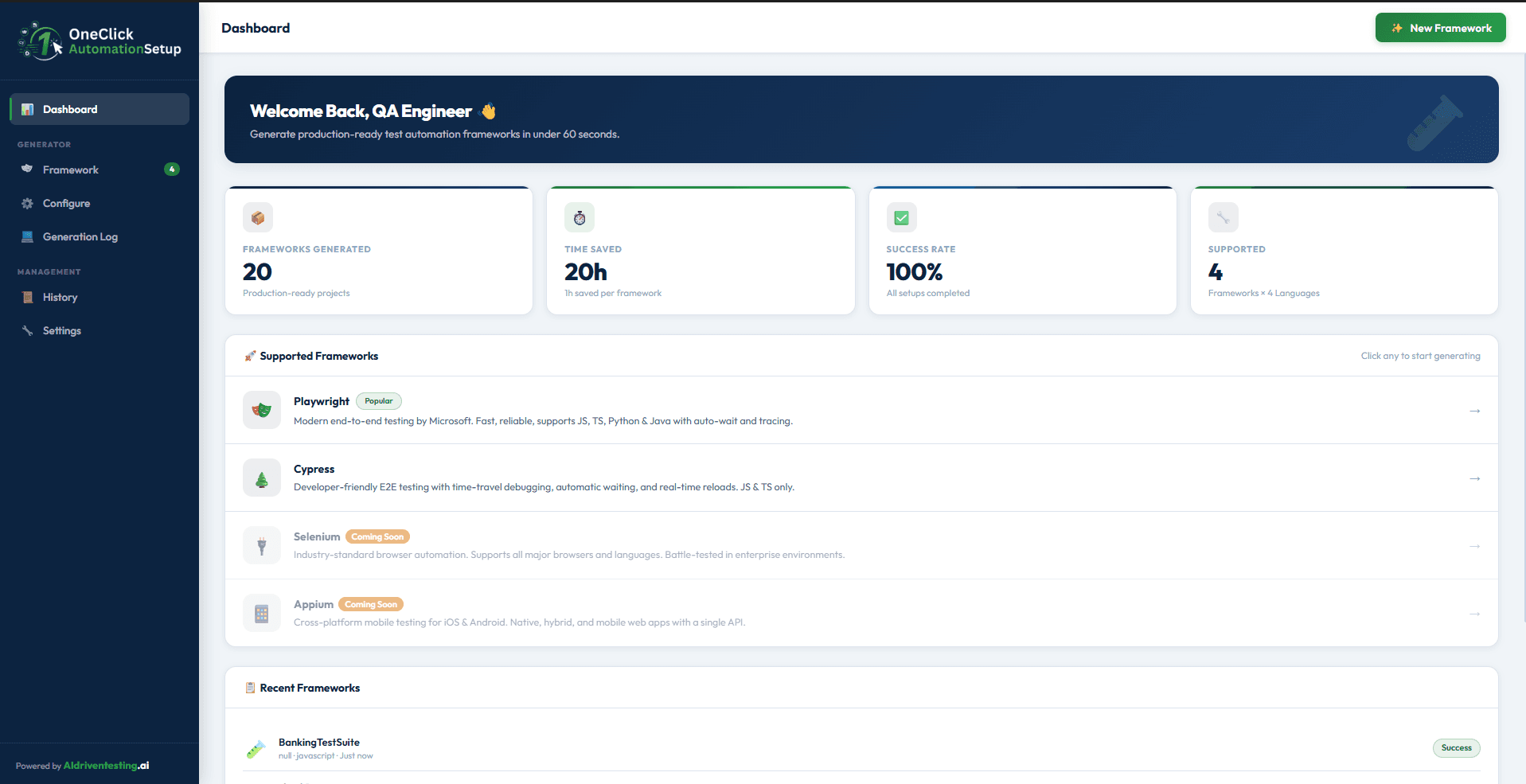
Four steps from empty folder to a runnable suite
OneClick AutomationSetup replaces a day of scaffolding, dependency hunting and config copy-paste with one guided wizard.
Pick a framework
Choose between Playwright, Cypress, Selenium or Appium, filtered by Web E2E or Mobile.
Configure the suite
Name your suite, set the project location, language, package manager, reporters and QA tooling.
Generate & install
Validates inputs, copies templates, installs dependencies, sets up reporters and opens VS Code.
Verify & report
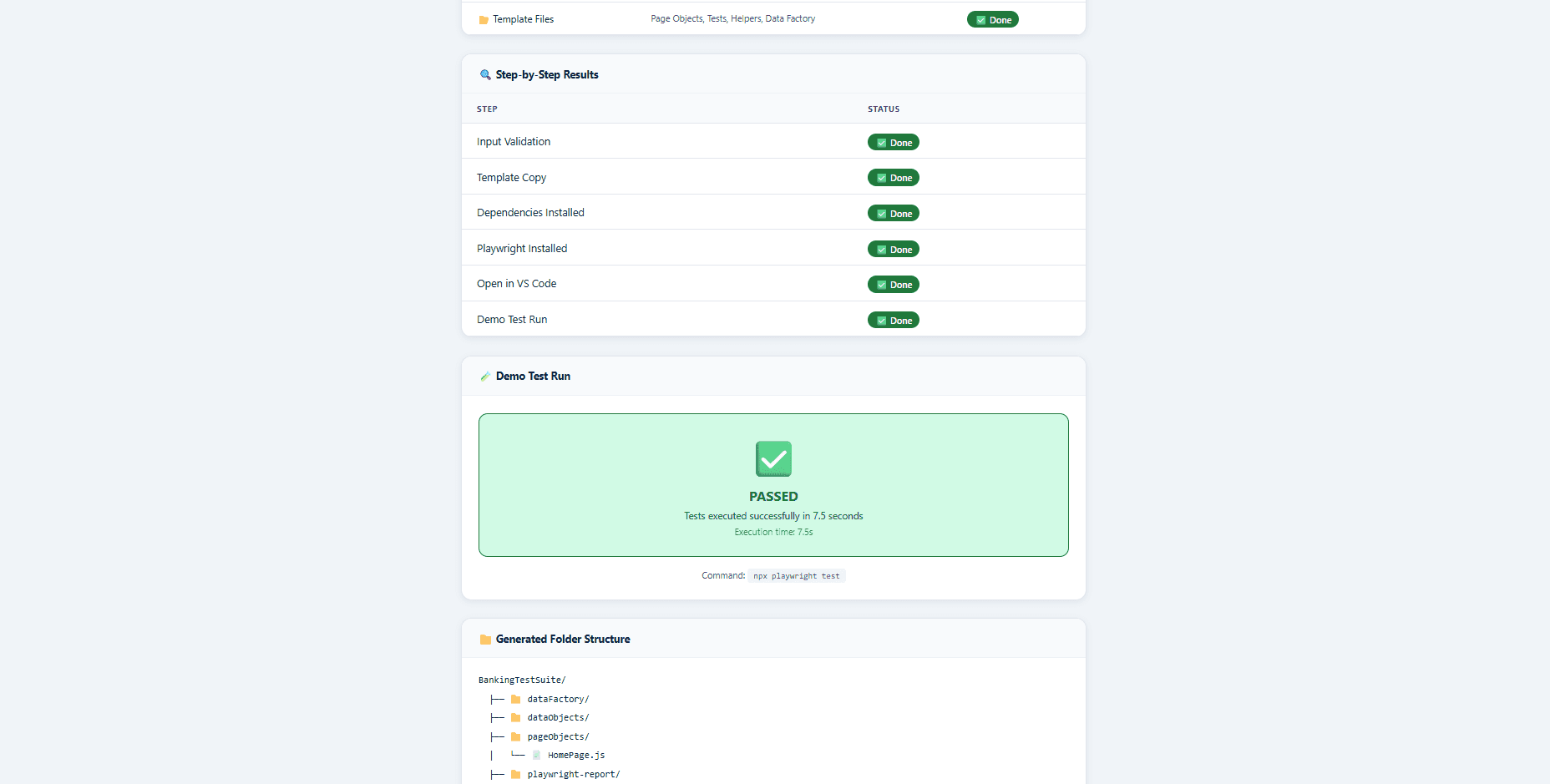
Runs a real demo test, captures a step-by-step log and exports a PDF setup report you can share.
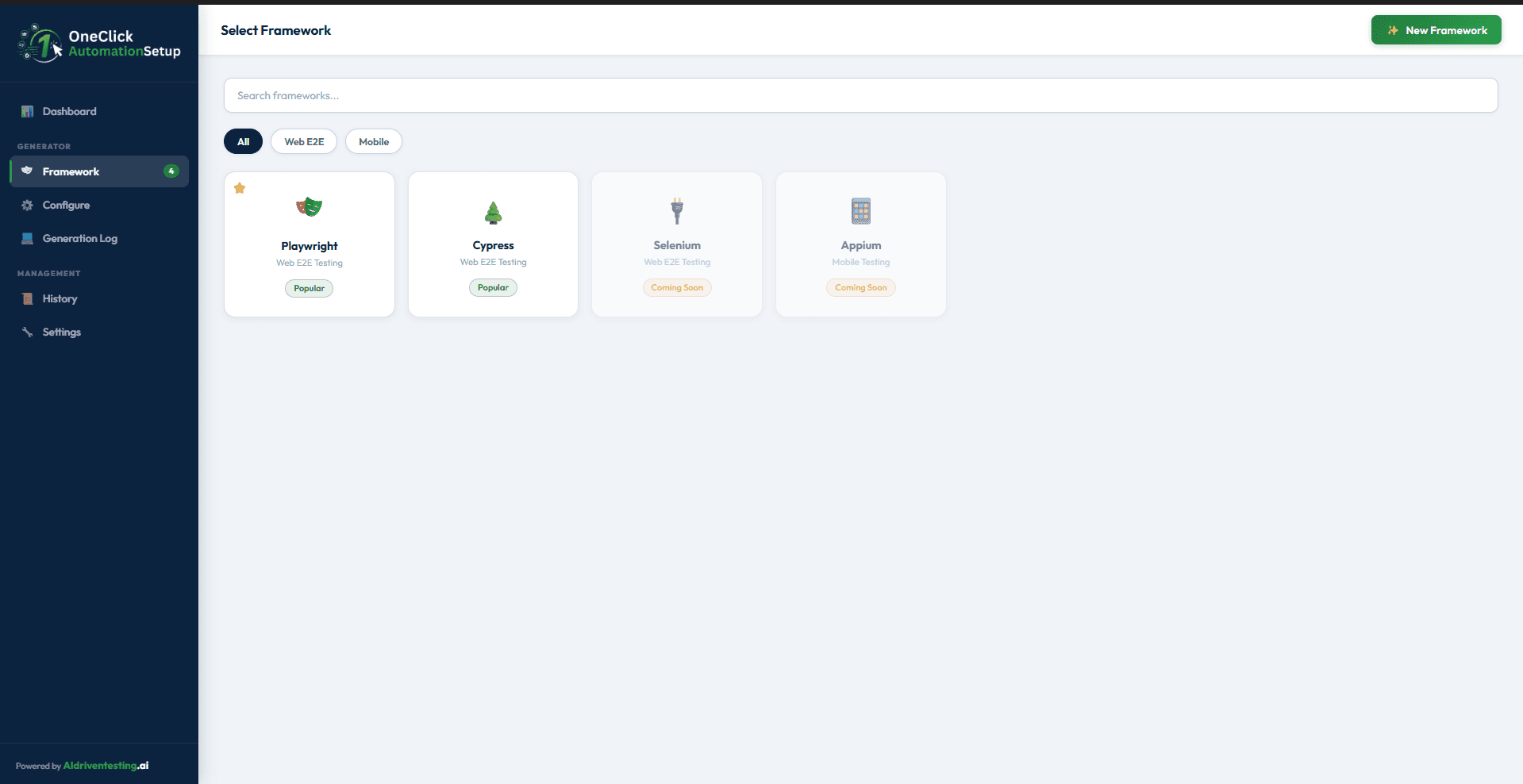
A curated catalogue of the frameworks QA teams actually ship with
Filter by Web E2E or Mobile, search by name, and pick from Playwright, Cypress, Selenium or Appium. New frameworks roll in as they go from Coming Soon to Popular.
- Web E2E and Mobile tabs, with search across all frameworks
- Status badges show what is Popular and what is Coming Soon
- Favourite a framework to pin it for your team
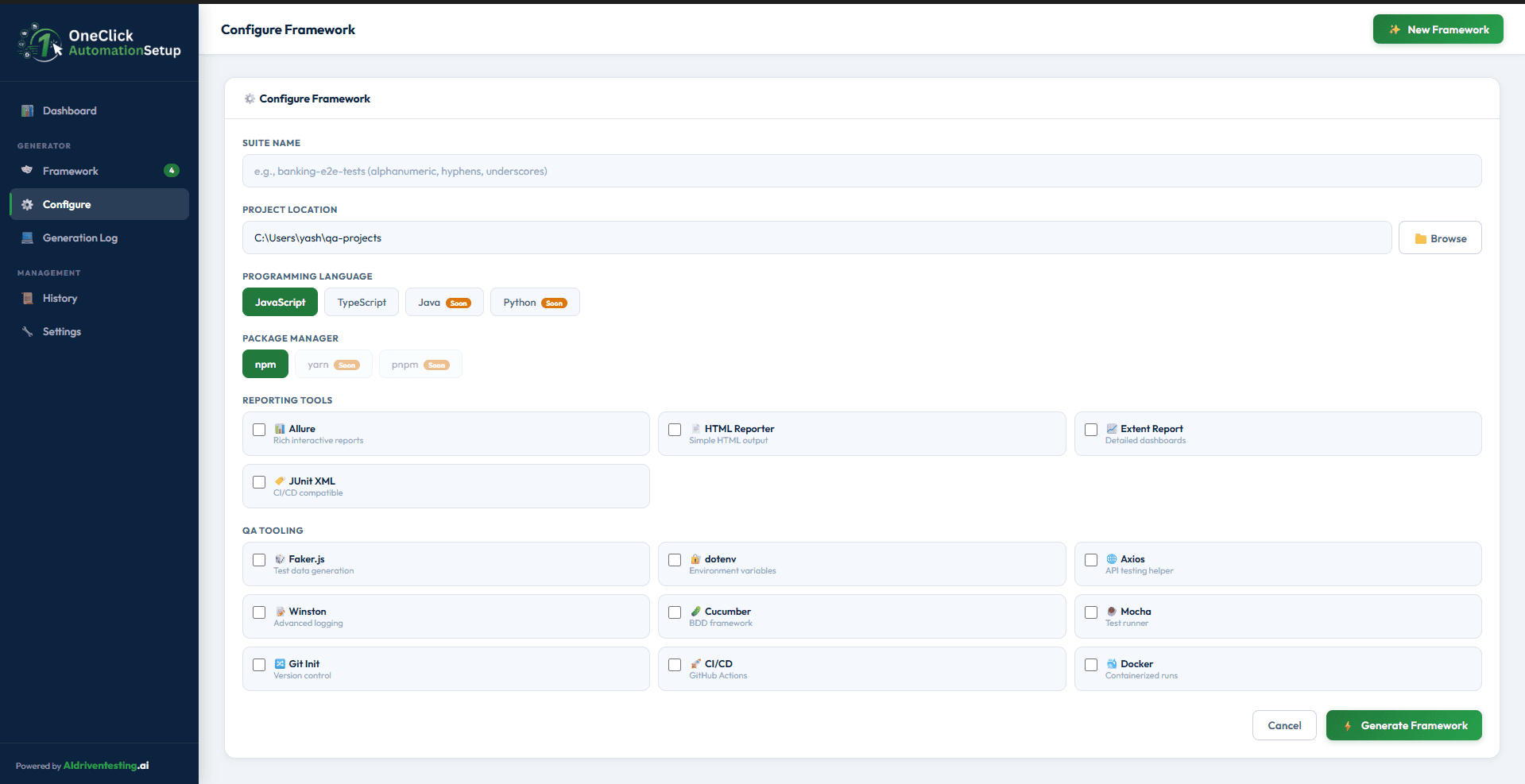
Every choice your senior QA would make, already in one form
Suite name, project path, language, package manager, reporters and tooling - all surfaced in a single screen with sensible defaults, so juniors ship the same scaffolding as your leads.
- Languages: JavaScript, TypeScript, Java and Python
- Package managers: npm, yarn and pnpm
- Reporters: Allure, HTML, Extent and JUnit XML for CI/CD
- QA tooling: Faker, dotenv, Axios, Winston, Cucumber, Mocha, Git, CI/CD and Docker
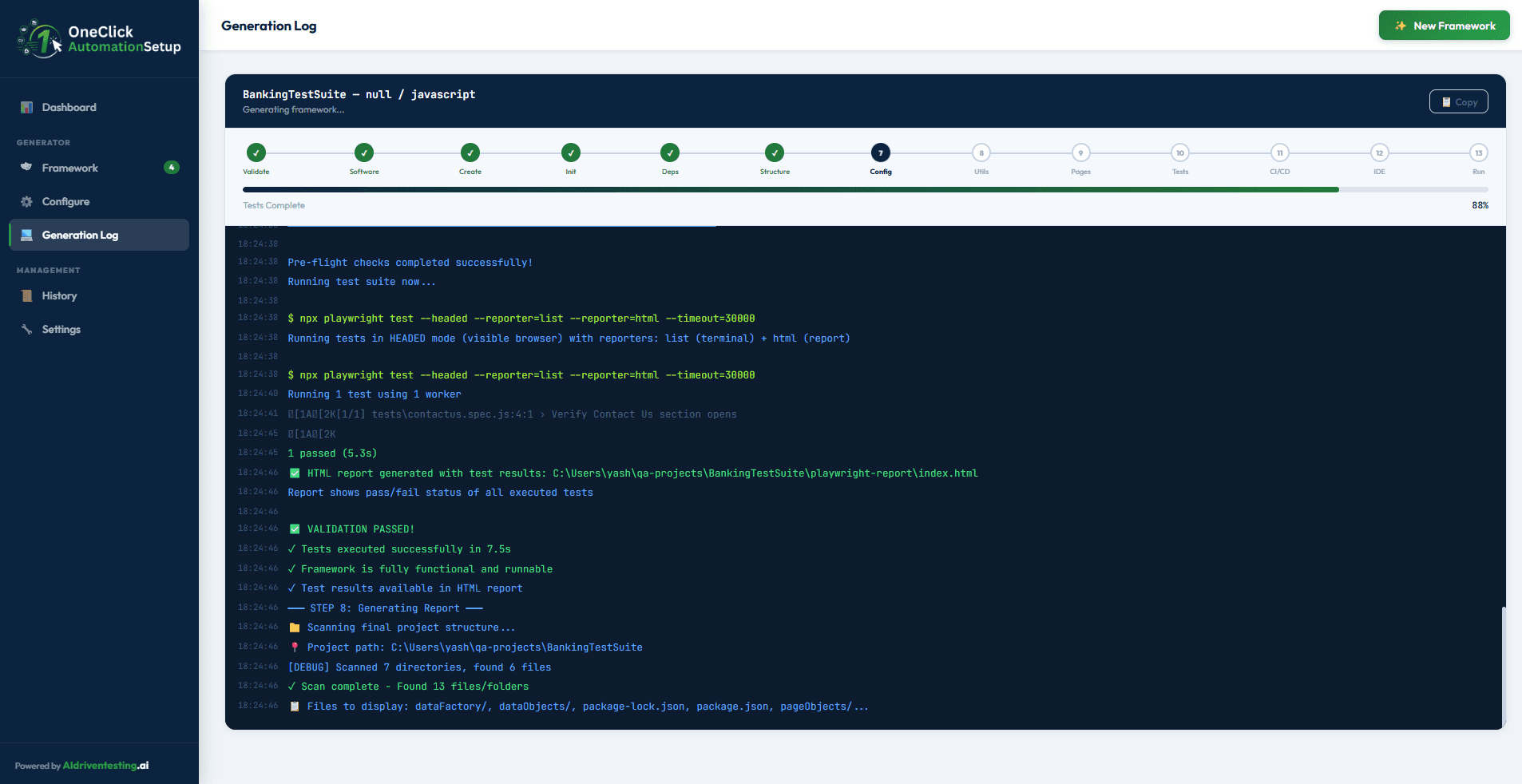
A live, step-by-step trace of every install and verification
Watch each stage light up - Validate, Software, Create, Init, Deps, Structure, Config, Utils, Pages, Tests, CI/CD, IDE and Run - with a streaming terminal so you can see exactly what OneClick is doing on your machine.
- 13-step progress bar with success states for every phase
- Streaming log with timestamps, commands and exit codes
- Copy the full log with one click for support or audits
A signed-off, shareable record of every setup
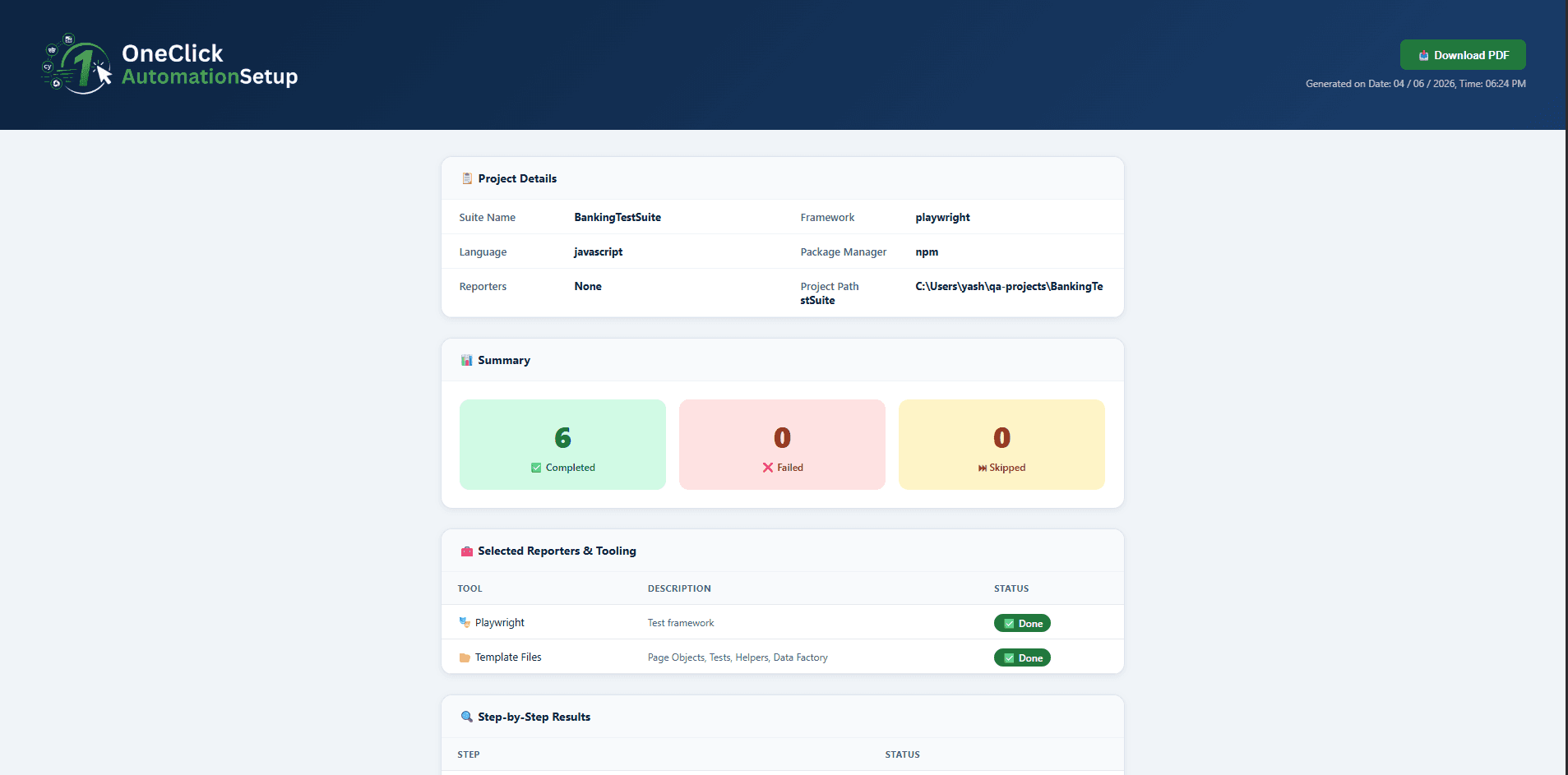
OneClick AutomationSetup verifies the framework with a real demo test, then exports a PDF report that captures project details, summary counts, selected reporters and tooling, the full step list and the generated folder structure.
A senior QA's setup checklist, automated
OneClick AutomationSetup folds the dozens of small decisions and installs that go into a new framework into one guided desktop experience.
60-second scaffolding
Cuts the typical half-day of framework setup down to a single minute on your laptop.
Production-ready templates
Page objects, tests, helpers and data factories laid out the way senior QA leads structure them.
Reporters wired in
Allure, HTML, Extent and JUnit XML are pre-configured for both local runs and CI pipelines.
CI/CD ready
GitHub Actions config, Docker and Git init are optional one-tick add-ons for every suite.
Demo run verification
Every setup ends with a real test execution so you never ship a framework that doesn't run.
PDF setup reports
Branded, downloadable PDFs document every choice and step for audits and team hand-offs.
Everything OneClick wires in for you
Mix and match - only what you tick is generated, installed and configured.
- Playwright
- Cypress
- Selenium (soon)
- Appium (soon)
- JavaScript
- TypeScript
- Java
- Python
- npm
- yarn
- pnpm
- Allure
- HTML Reporter
- Extent
- JUnit XML
- Faker.js
- dotenv
- Axios
- Winston
- Cucumber
- Mocha
- Git init
- GitHub Actions CI/CD
- Docker
Quick answers
Common questions from QA leads evaluating OneClick AutomationSetup.
Stand up your next test suite before your coffee is poured.
Currently in beta. Reach out and we'll get you set up with early access to OneClick AutomationSetup on your machine.
- A runnable framework on your laptop in under 60 seconds
- Reporters, tooling and CI/CD config wired in by default
- A signed-off PDF setup report for every generated suite