
Build and execute API test flows from a spec.
API Testing Studio lets you import an OpenAPI or Swagger specification and instantly generates test collections, environments and live assertions. Ready to run in minutes.
- OpenAPI
- spec import
- Auto
- test generation
- Full
- run history
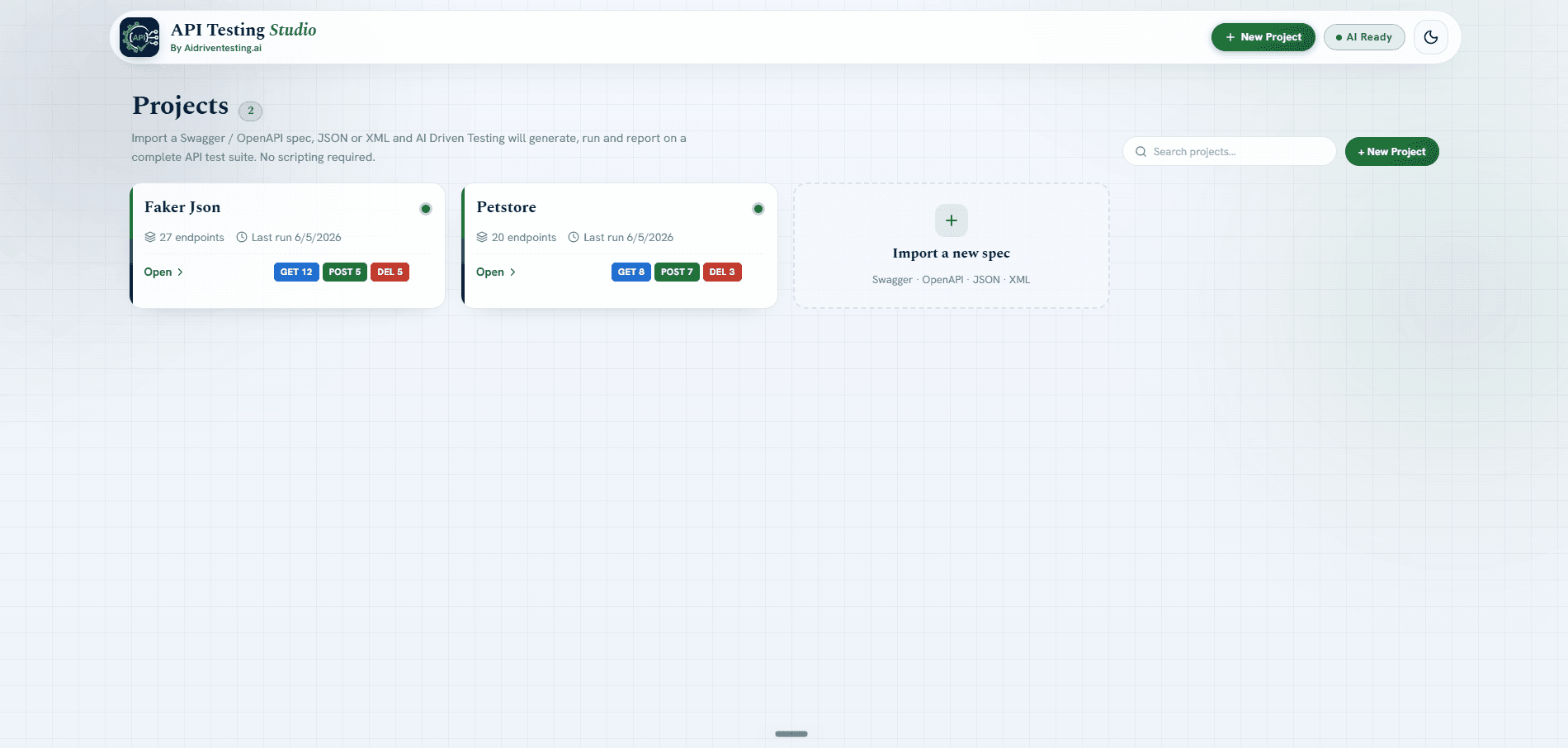
Paste a URL or upload an OpenAPI spec to get started
API Testing Studio accepts OpenAPI 3.x and Swagger 2.0 specs by URL or file upload. Within seconds it parses every endpoint, method and schema with no manual configuration required.
- Supports OpenAPI 3.x and Swagger 2.0 formats
- Import by remote URL or direct file upload
- All endpoints and schemas parsed automatically
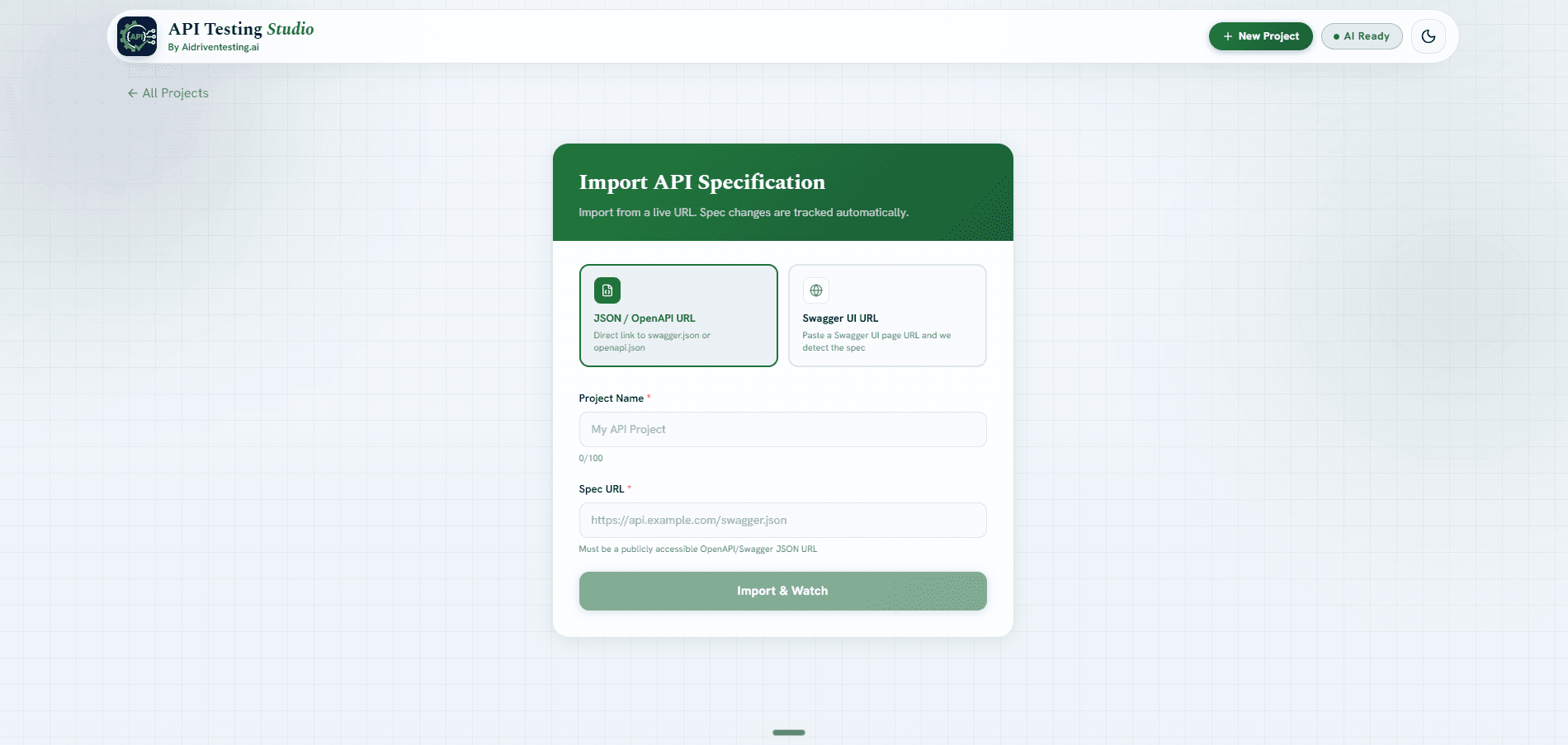
Every endpoint listed with method, path and schema
Once imported, API Testing Studio maps your entire API surface. Every GET, POST, PUT, DELETE and PATCH endpoint is listed with its method badge, parameters and response schema.
- Color-coded method badges for instant scanning
- Request and response schema displayed inline
- Filter and search across large API surfaces
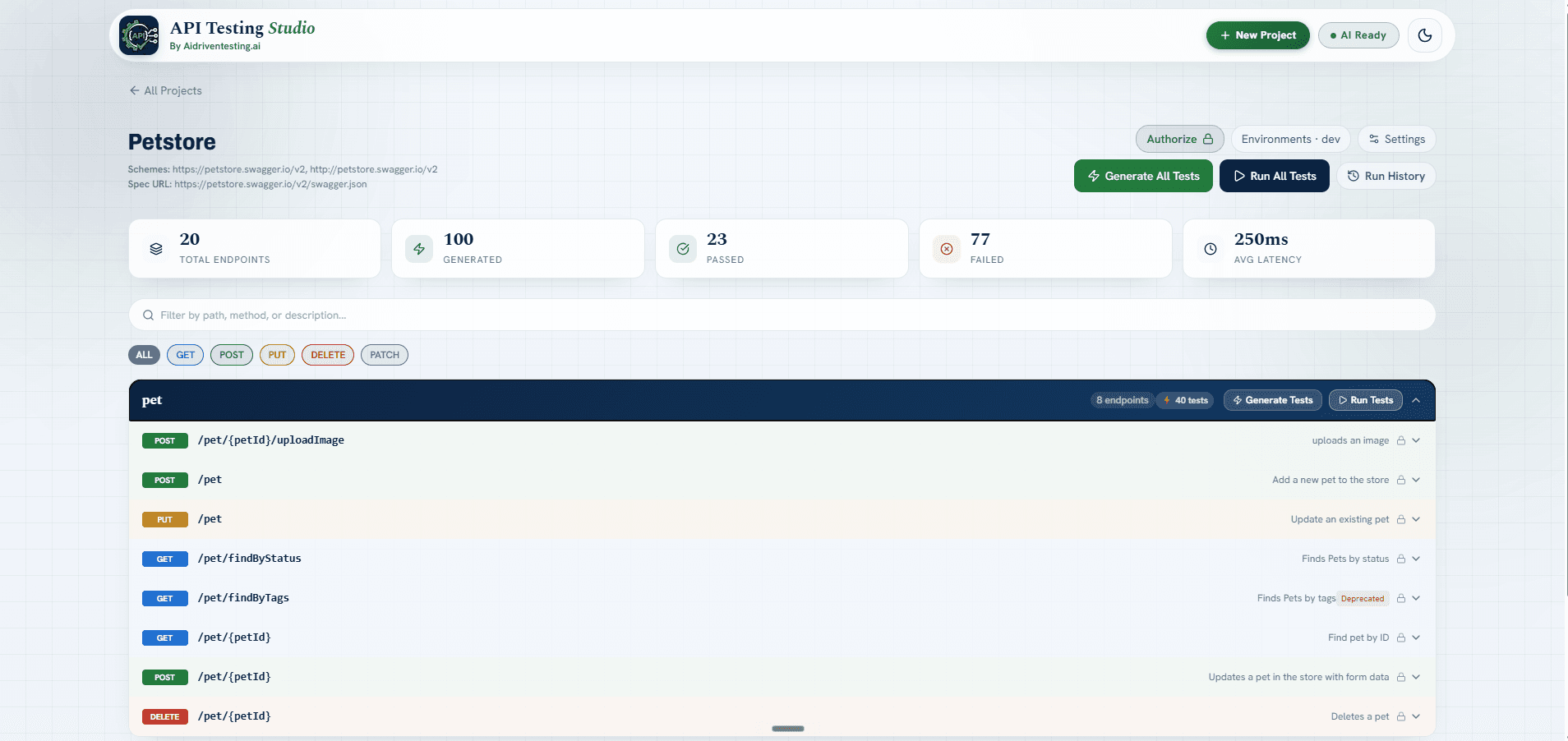
Execute generated test cases with live assertions
API Testing Studio auto-generates test cases for each endpoint covering status codes, schema validation and edge cases. Run them live against any environment and see pass/fail results instantly.
- Auto-generated test cases for every endpoint
- Status code, schema and body assertions included
- Run against any environment with environment variables
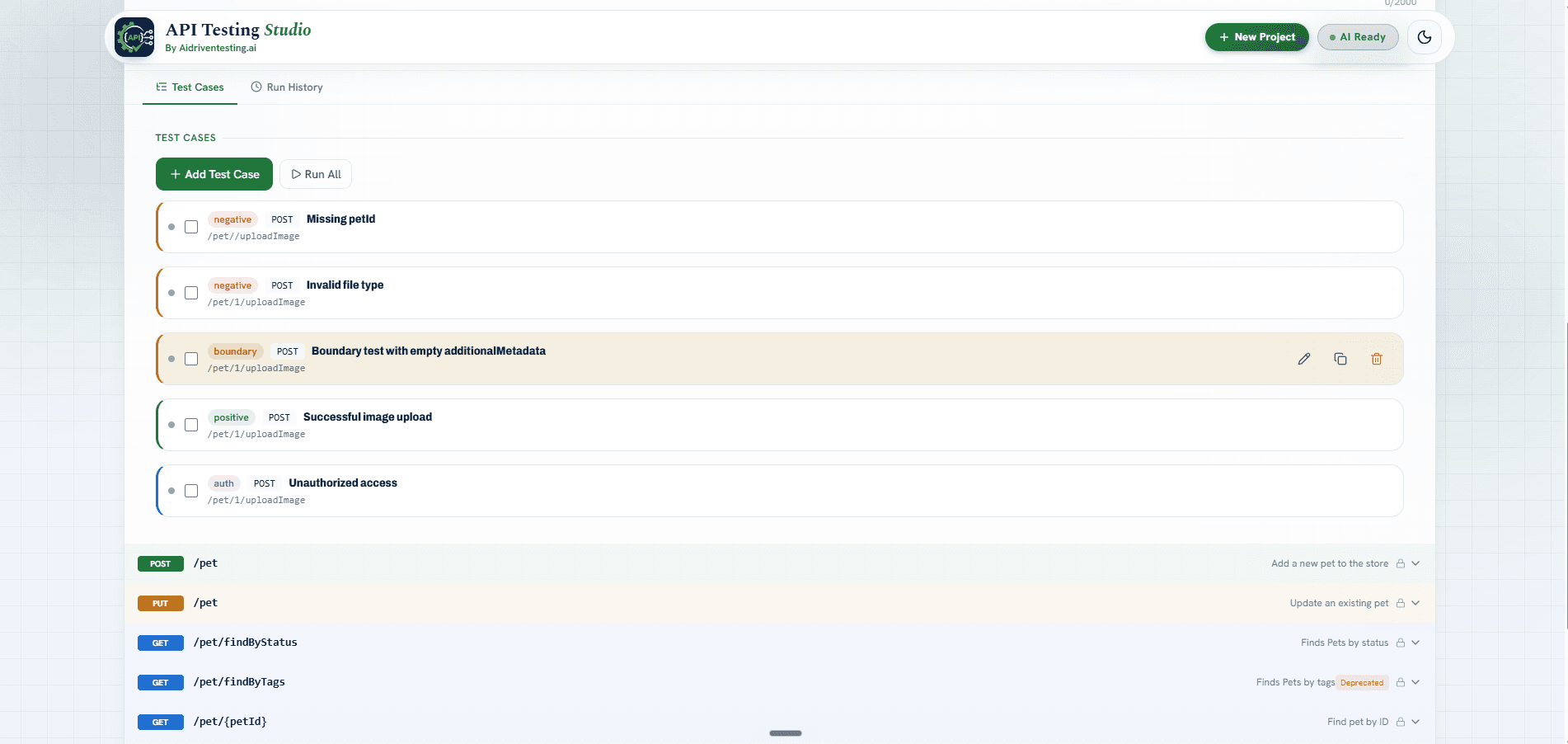
Full run details with pass, fail and timing breakdown
Every test run is logged with a complete summary showing total cases, pass count, fail count and total execution time. Drill into any run to see individual test results and response data.
- Run summary with total, passed, failed and error counts
- Execution time tracked per run and per test case
- Filter results by status, method or endpoint path
- JSON and HTML export for every run report
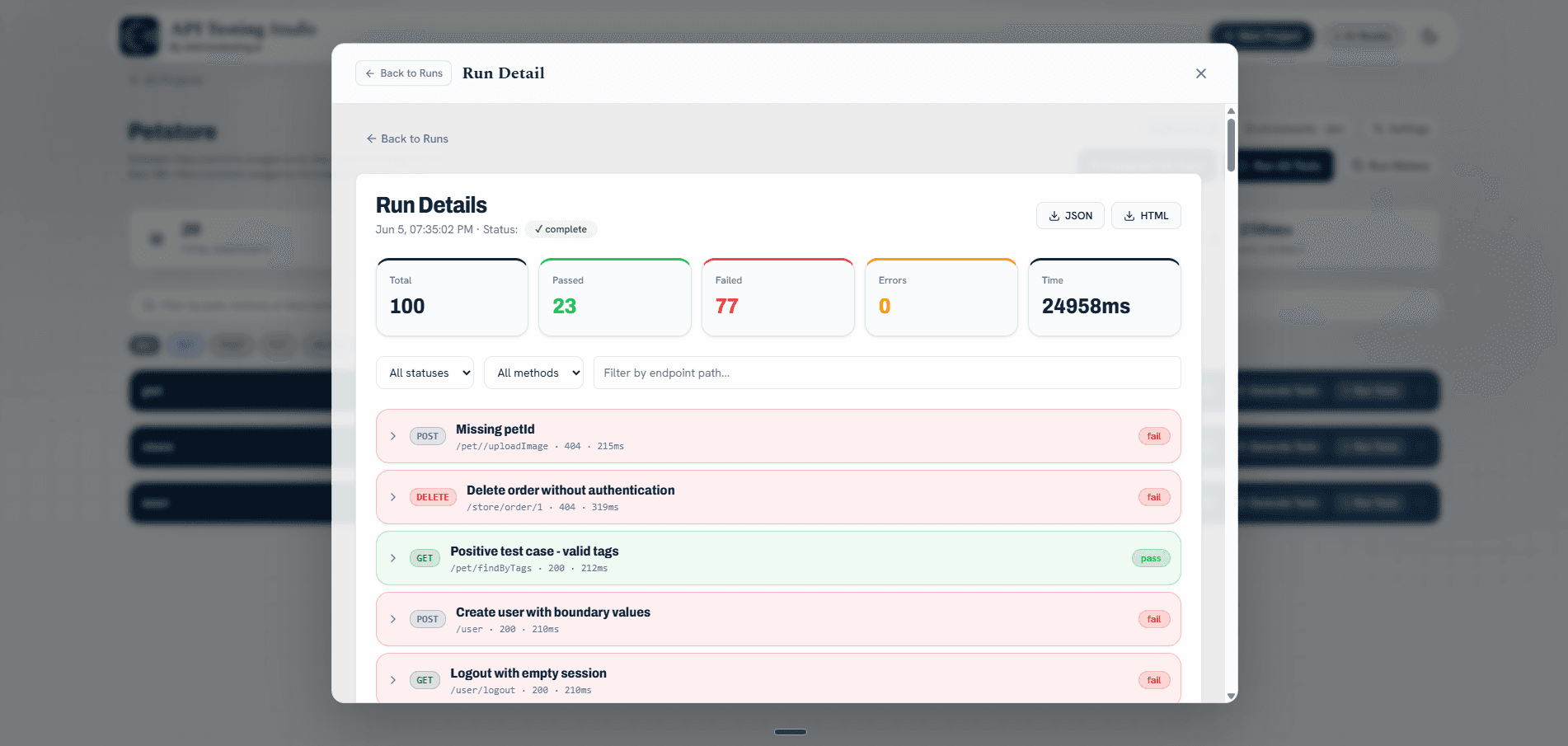
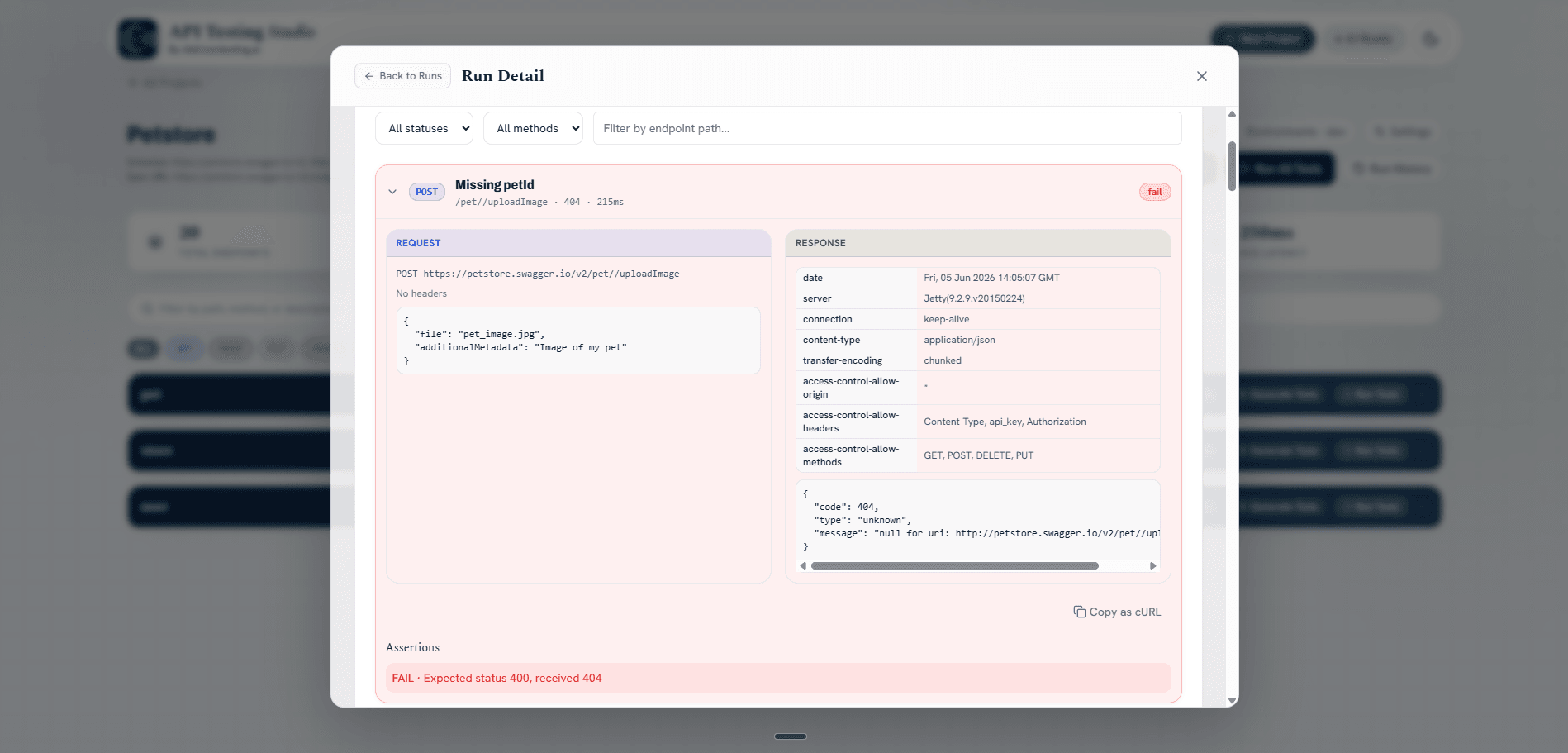
Inspect every request, response and assertion inline
Click into any failed test case to see the full request payload, response body, headers and the exact assertion that failed. No switching tabs or copying curl commands to debug.
- Full request URL, headers and body shown side by side with the response
- Assertion failure reason highlighted with expected vs received values
- Copy as cURL button for fast reproduction outside the studio
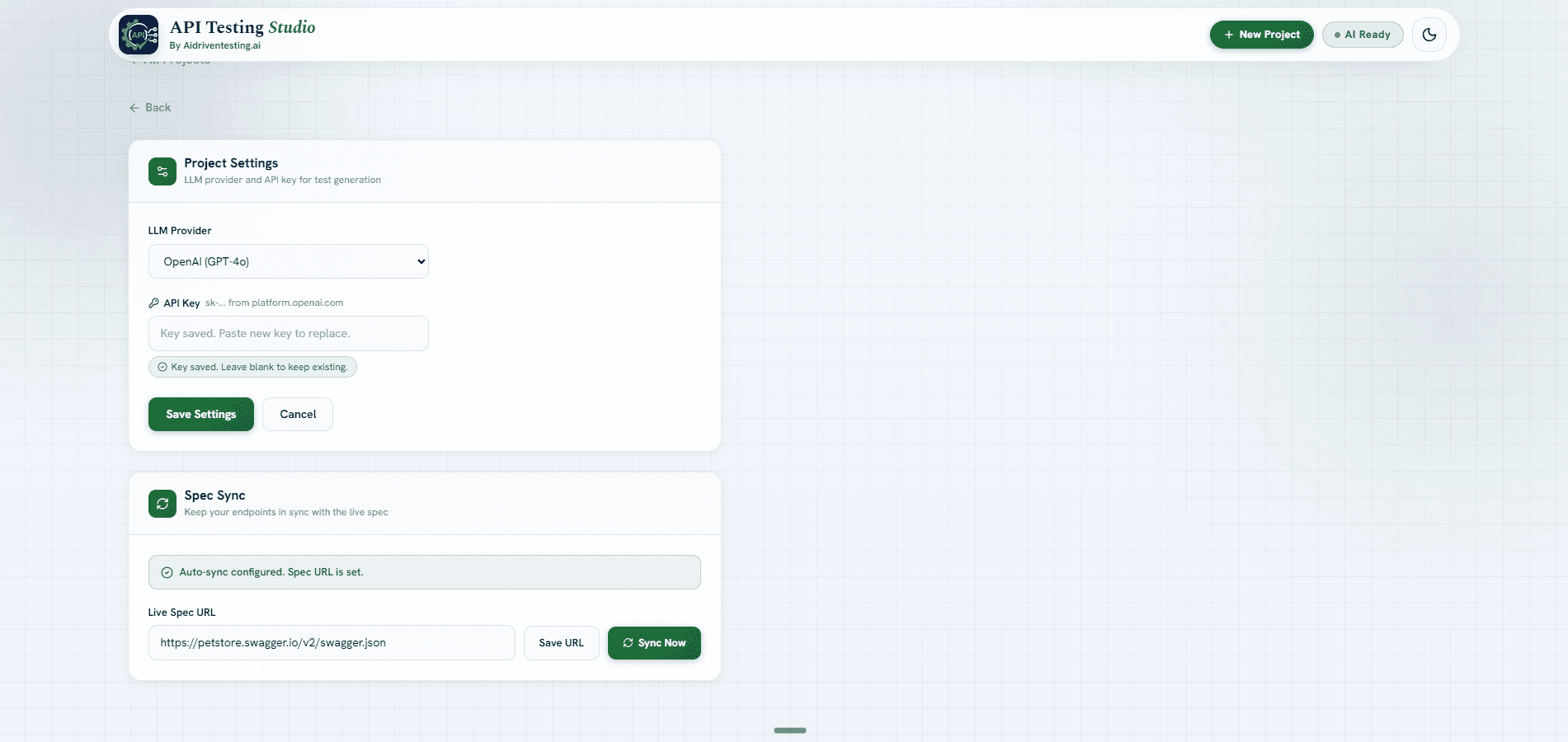
Configure your LLM provider and keep your spec in sync
Each project lets you set your own LLM provider and API key for AI-powered test generation. The Spec Sync feature connects to your live OpenAPI URL so your test suite always reflects the latest version of your API.
- Choose your LLM provider (OpenAI GPT-4o and others)
- Bring your own API key, kept per project
- Spec Sync pulls the latest spec from a live URL on demand
- No manual re-import needed when your API changes
A complete API testing workflow in the browser
API Testing Studio replaces the friction of setting up Postman collections or CLI runners with a spec-driven, browser-native workflow that includes full run history and assertion inspection.
Spec-to-tests in seconds
Import an OpenAPI or Swagger spec and get a full set of test cases generated automatically.
Collections and projects
Organise APIs by project, keep multiple collections active and switch between them instantly.
Test run history
Every run is logged with pass, fail, error counts and execution time. Drill in to inspect any result.
Inline assertion inspector
See the full request, response and the exact assertion failure reason without leaving the studio.
Schema validation
Every response is validated against the spec schema so drift between spec and API is caught immediately.
Spec Sync and LLM settings
Connect a live OpenAPI URL and choose your LLM provider so tests always reflect your latest API.
Everything API Testing Studio handles for you
From spec import to run history inspection in one browser session.
- OpenAPI 3.x
- Swagger 2.0
- URL or file upload
- Auto endpoint parsing
- Status code assertions
- Schema validation
- Edge case coverage
- Auth flow tests
- Live endpoint runs
- Pass/fail results
- Response body diff
- Latency per test case
- Full run log
- Pass, fail and error counts
- Execution time tracked
- JSON and HTML export
- LLM provider config
- Bring your own API key
- Spec Sync via live URL
- Per-project environments
- Browser-native
- No install
- No CLI
- No Postman needed
Quick answers
Common questions from API teams evaluating API Testing Studio.
From API spec to running tests in minutes.
API Testing Studio is currently in private beta. Request access and our team will reach out to get you set up importing your OpenAPI spec and running tests.
- Auto-generated test cases from your OpenAPI spec
- Status code, schema and body assertions included
- Full test run history with pass/fail breakdown
- Inline assertion inspector with request and response detail
- Spec Sync to keep tests current as your API evolves